
All components (204)
Image viewer
AI · ImageViewer
What it is and when to use it
The viewer for an image at almost full screen: the whole image, the name and details on top and "Download" at the bottom. It is what opens when you press the thumbnail of an attachment or an artifact.
When to use it
- To see larger the image an assistant has generated or someone has attached to a message.
- Behind
onViewofArtifactCard,onPreviewofAttachmentoronPressofThumbnail.
When not to
- For a gallery with several images and arrows: that is another piece.
- To show a document or a PDF: that is a preview inside
ArtifactCard.
Keyboard: it is a real dialog. Focus goes in on opening and returns to whoever opened it on closing; Escape and clicking outside close it, and inside another dialog it closes only the viewer. Pressing the image (it is a button, Tab reaches it) toggles between fitted to the window and actual size with scrolling.
Accessibility: the title is the file name and the details are the dialog's description. The image carries its alt. If it cannot be loaded, it is announced as an alert.
Fine appearance: CSS variable --amset-image-viewer-bg (the stage background).
What it looks like
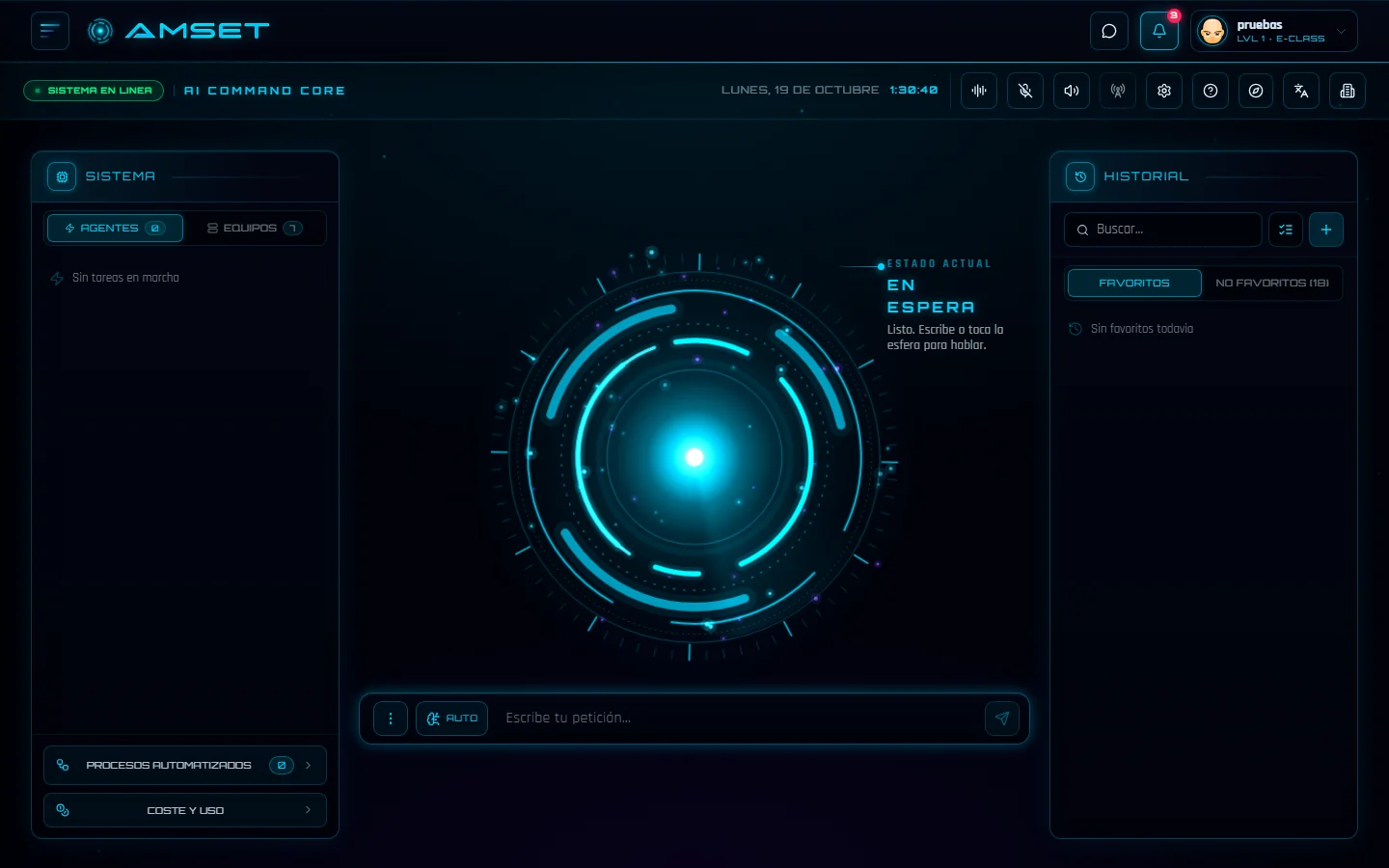 asistente.webp
<Thumbnail
src="/asistente.webp"
alt="The AMSET assistant on standby, with the orb in the middle"
pressLabel="View the screenshot full size"
onPress={() => setAbierto(true)}
/>
<ImageViewer
src="/asistente.webp"
alt="The AMSET assistant on standby, with the orb in the middle"
name="asistente.webp"
details="53 KB · 1440 × 900"
open={abierto}
onOpenChange={setAbierto}
onDownload={descargar}
/>Props
Import it with import { ImageViewer } from '@amset/ui'. Required props are marked.
| Prop | Type | What it does |
|---|---|---|
altrequired | string | What the image shows, for whoever cannot see it. |
onOpenChangerequired | (open: boolean) => void | — |
openrequired | boolean | — |
srcrequired | string | — |
className | string | Merged with the library classes; it does not replace them. |
details | ReactNode | A line of details under the title: "1.5 MB · 1920 × 1080". It is read as the viewer's description. |
name | string | The viewer's title: the file name. By default, `alt`. |
onDownload | () => void | With this, "Download" appears in the footer. |
It also accepts the attributes of the element it renders: className, style, data-*, aria-* and its events.
In the test bench
Every state and variant, to try one at a time, on its page at ui.amset.tech: