Skip to content
EspañolEnglish

Blocks and templates

A block is a whole screen of a business application built only with components from the library: it writes not a single colour or size, imports @amset/ui just like your application and receives its data through props, without calling any server. It is copied into your project with npx amset-ui add and from then on it is yours.

There are 7 screens. The screenshots come from the library's test bench (Storybook), in the theme you have selected on this site.

The screens

Management dashboard Dashboard
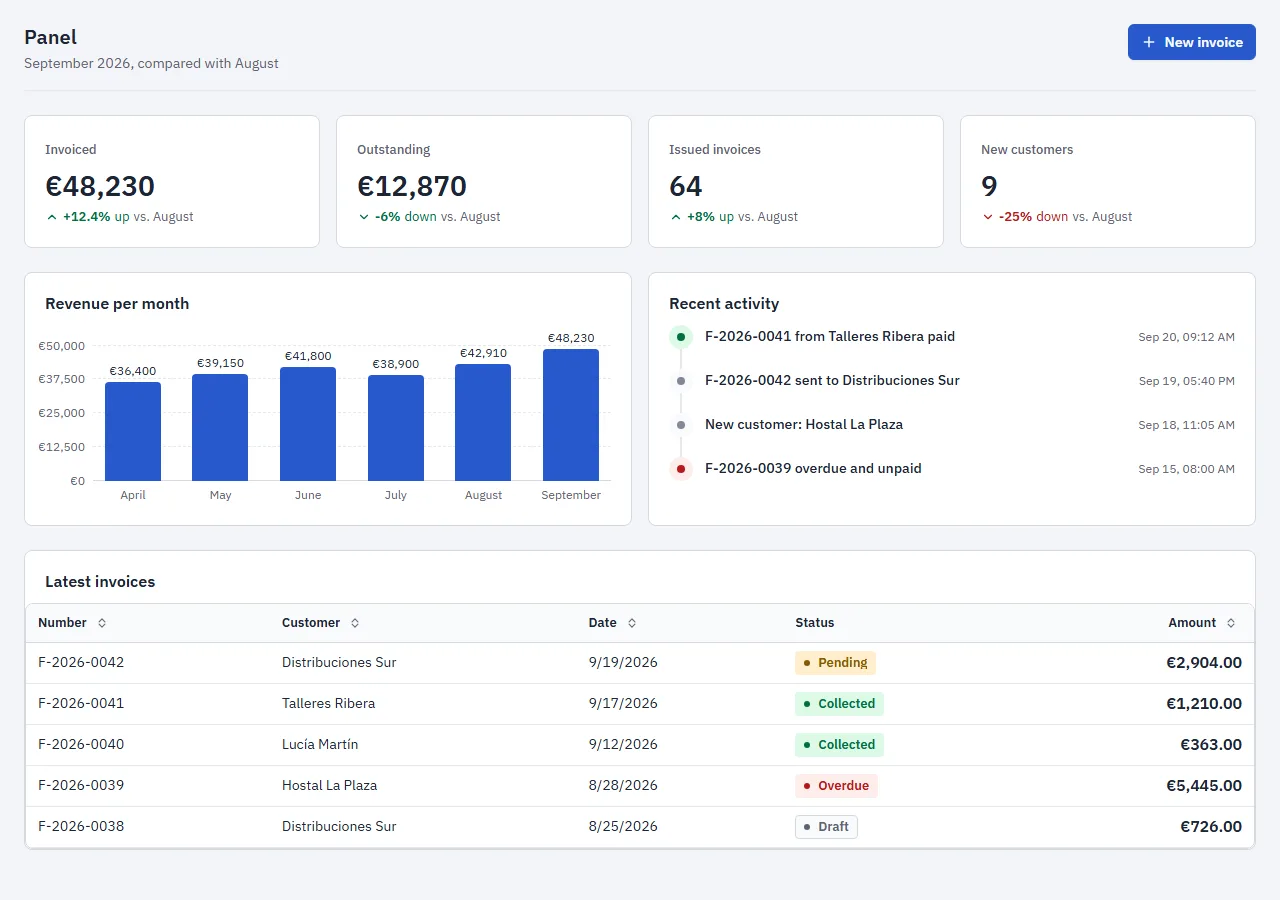
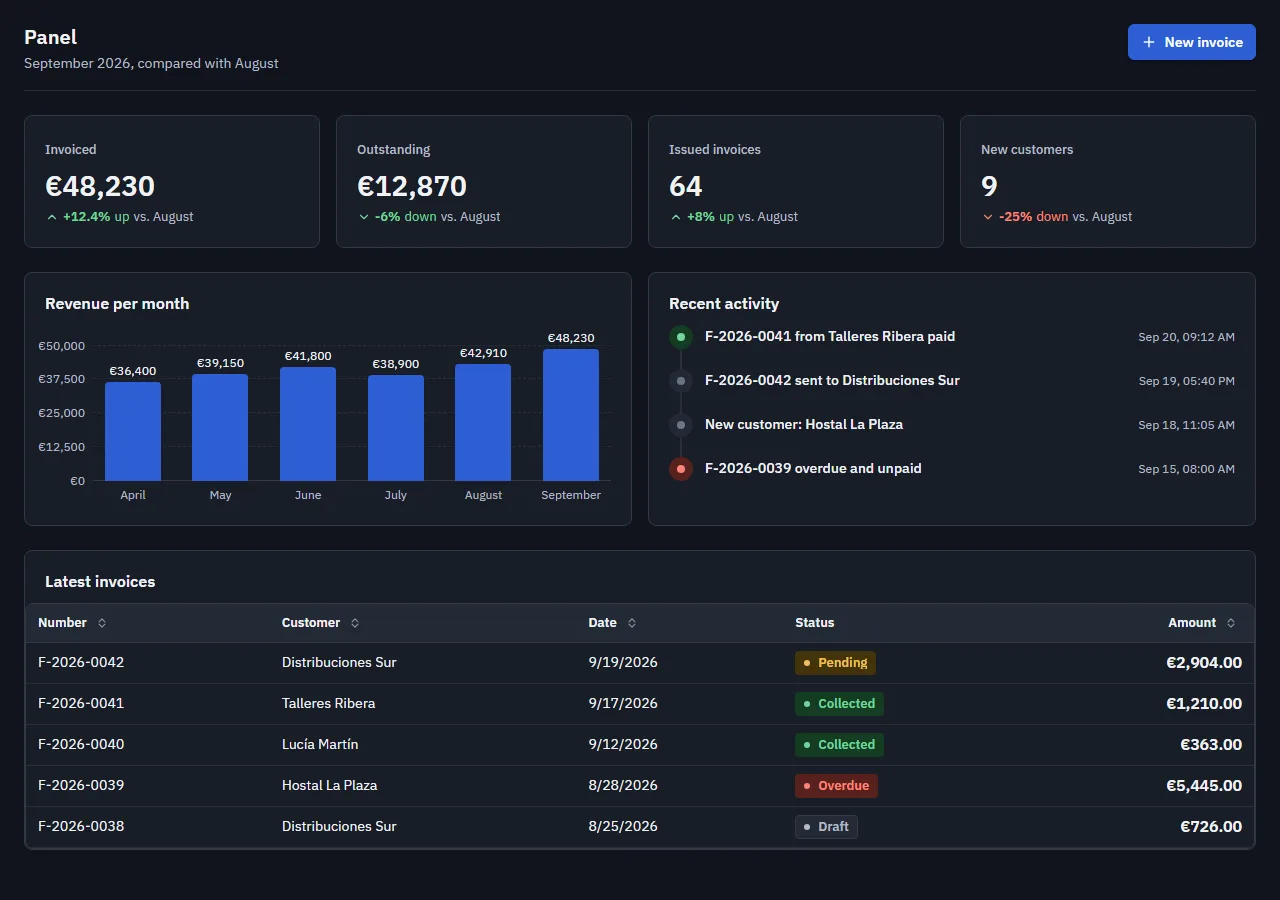
Screenshot of the "Management dashboard" block in the light themeScreenshot of the "Management dashboard" block in the dark theme

The landing screen of a management app: the period's figures with their change, revenue per month, the latest invoices and the latest activity. It is what people check every morning, so every invoice can be pressed to open it.

Uses: PageHeader, Stat, BarChart, Table, History, Tag, Amount, Card and Grid.

Data: everything comes in through props; the block does not call any server.

Copy it into your project
npx amset-ui add dashboard

Nothing else to install 4 files See it in the test bench (Storybook)
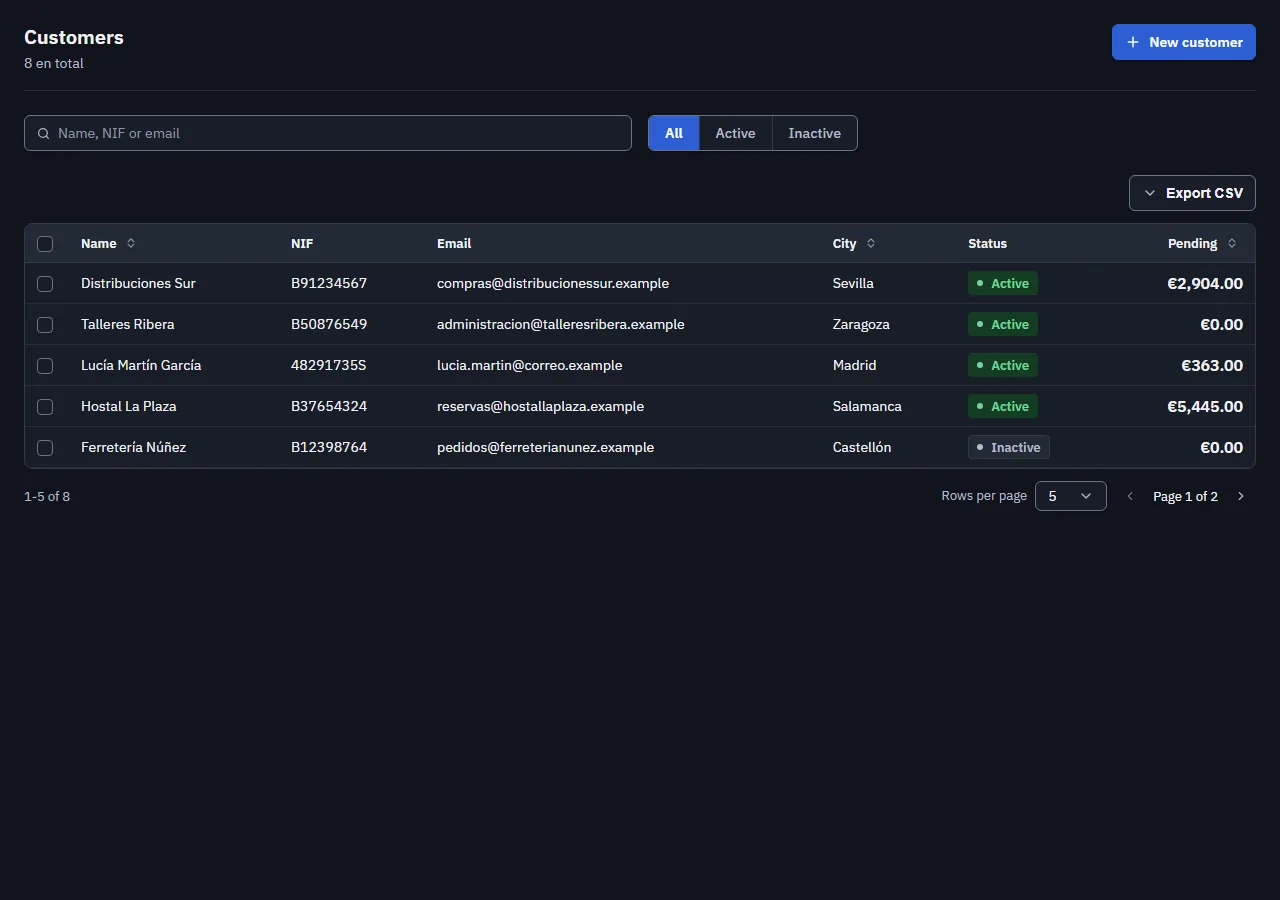
Customer list CustomerList

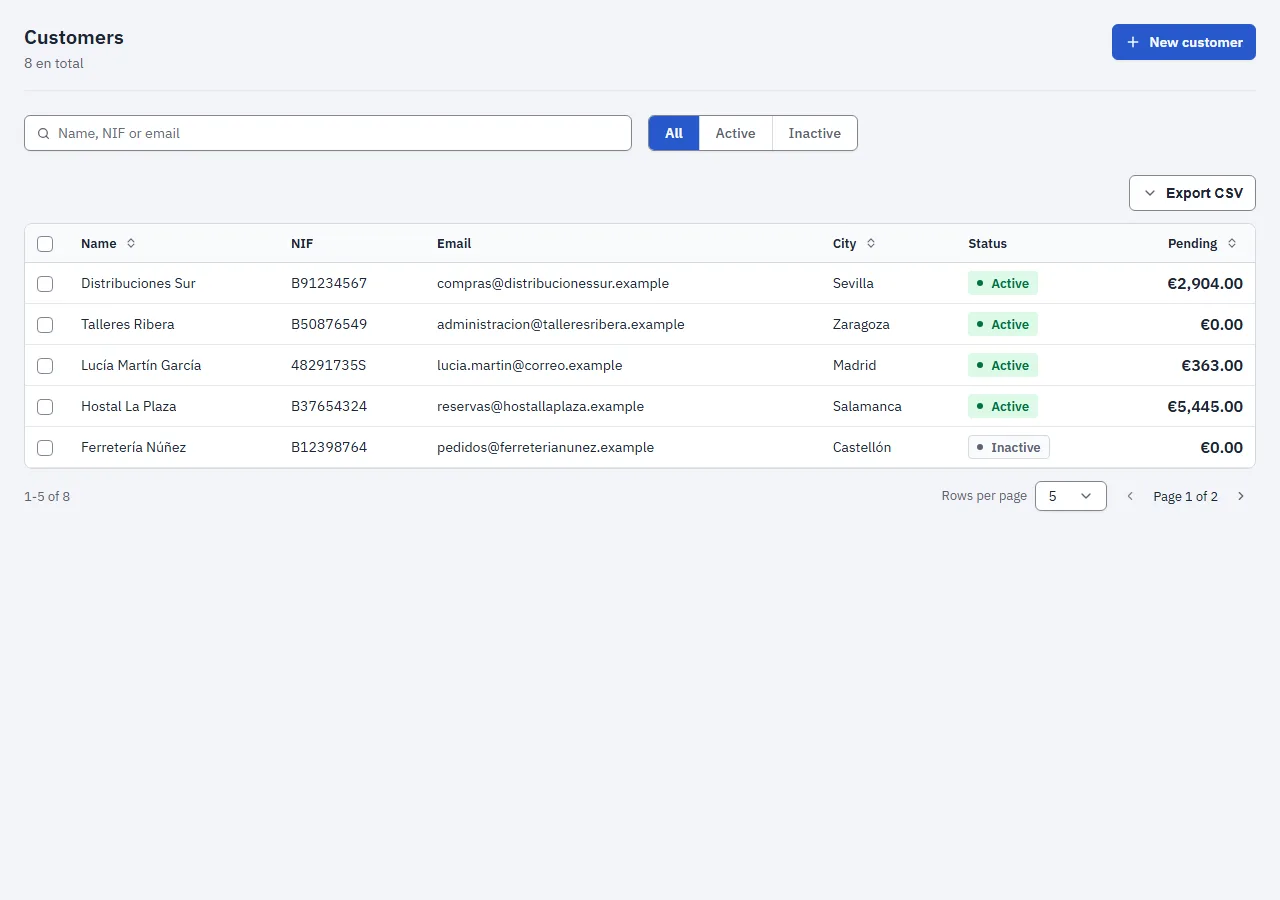
Screenshot of the "Customer list" block in the light themeScreenshot of the "Customer list" block in the dark theme

Every customer in a table that can be searched, filtered by status, sorted and paginated, with multiple selection to act on several at once. With no customers yet, it shows how to add the first one instead of an empty table.

Uses: PageHeader, TextField, SegmentedGroup, Table, Tag, Amount, Button and EmptyState.

Search: by name, tax ID or email, ignoring case and accents.

Copy it into your project
npx amset-ui add customer-list

Nothing else to install 2 files See it in the test bench (Storybook)
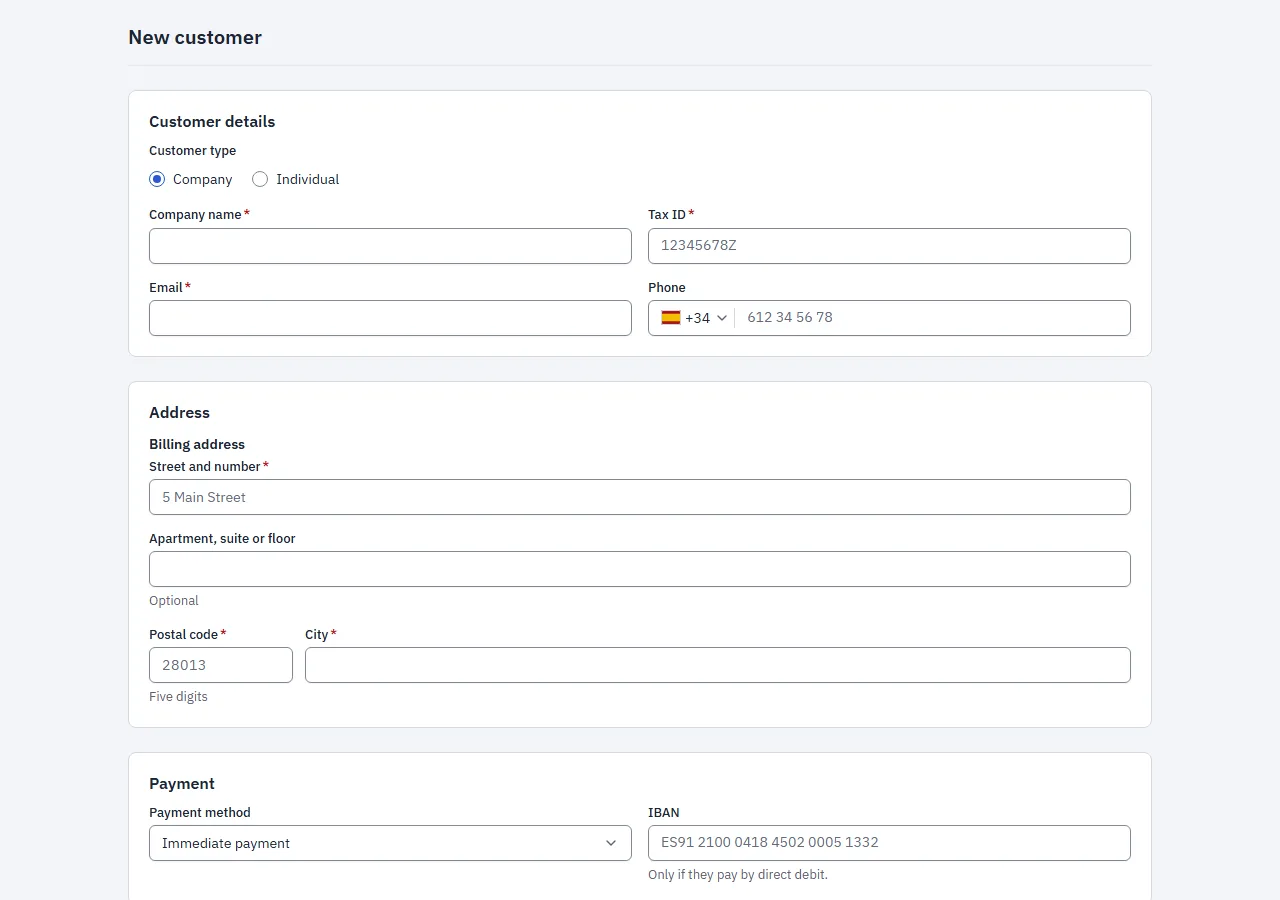
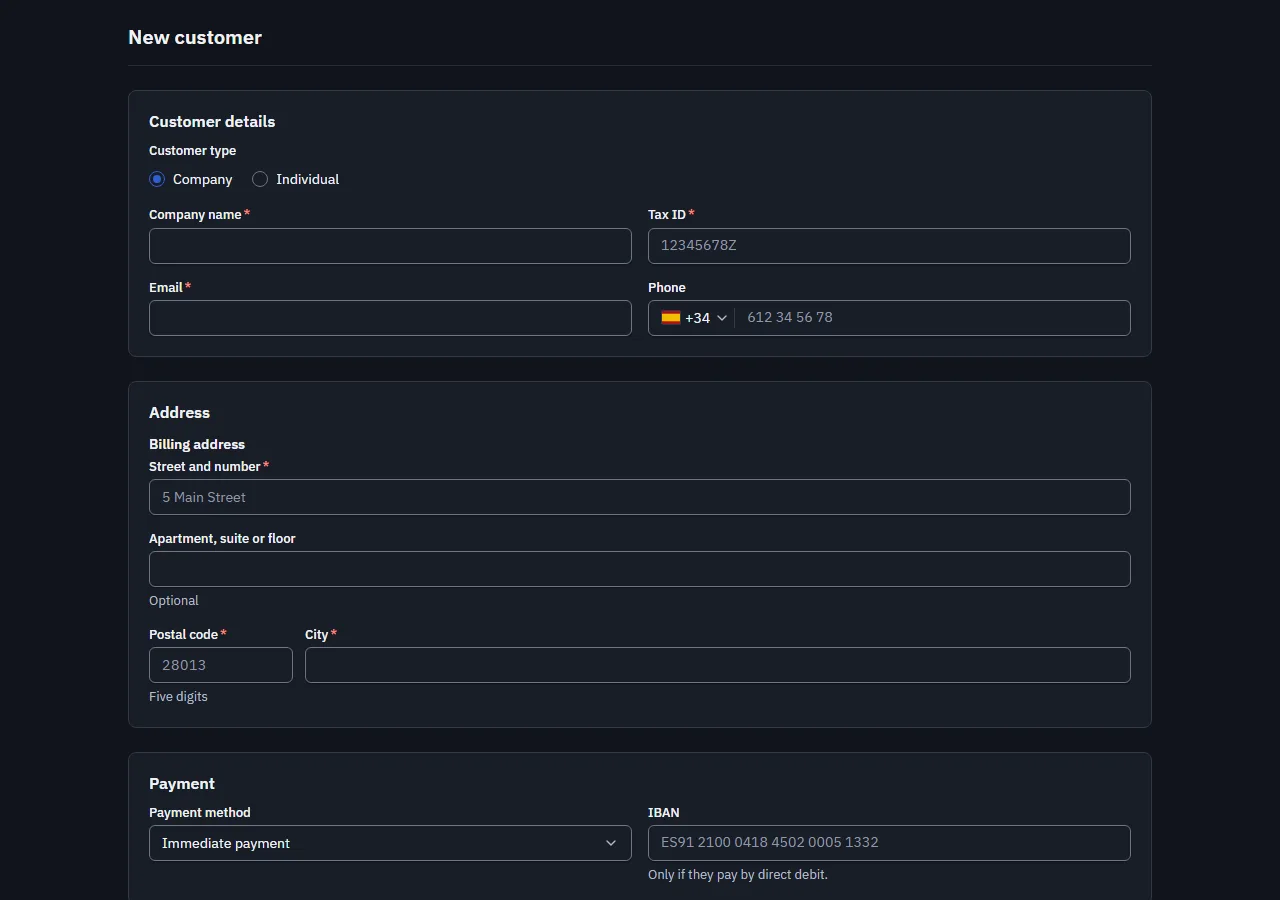
New customer CustomerForm

Screenshot of the "New customer" block in the light themeScreenshot of the "New customer" block in the dark theme

The form to add (or edit) a customer: individual or company, tax ID with its check letter verified, email, phone, address, IBAN and payment terms. It validates with a schema the block exports (customerSchema), the same one the server must use.

Uses: Form, FormTextField, FormDocumentField, FormPhoneField, FormAddressField, FormIbanField, FormSelect, FormRadioGroup, FormTextArea, SubmitButton and Card.

Needs react-hook-form and zod in the project.

Copy it into your project
npx amset-ui add customer-form

Needs react-hook-formzod 2 files See it in the test bench (Storybook)
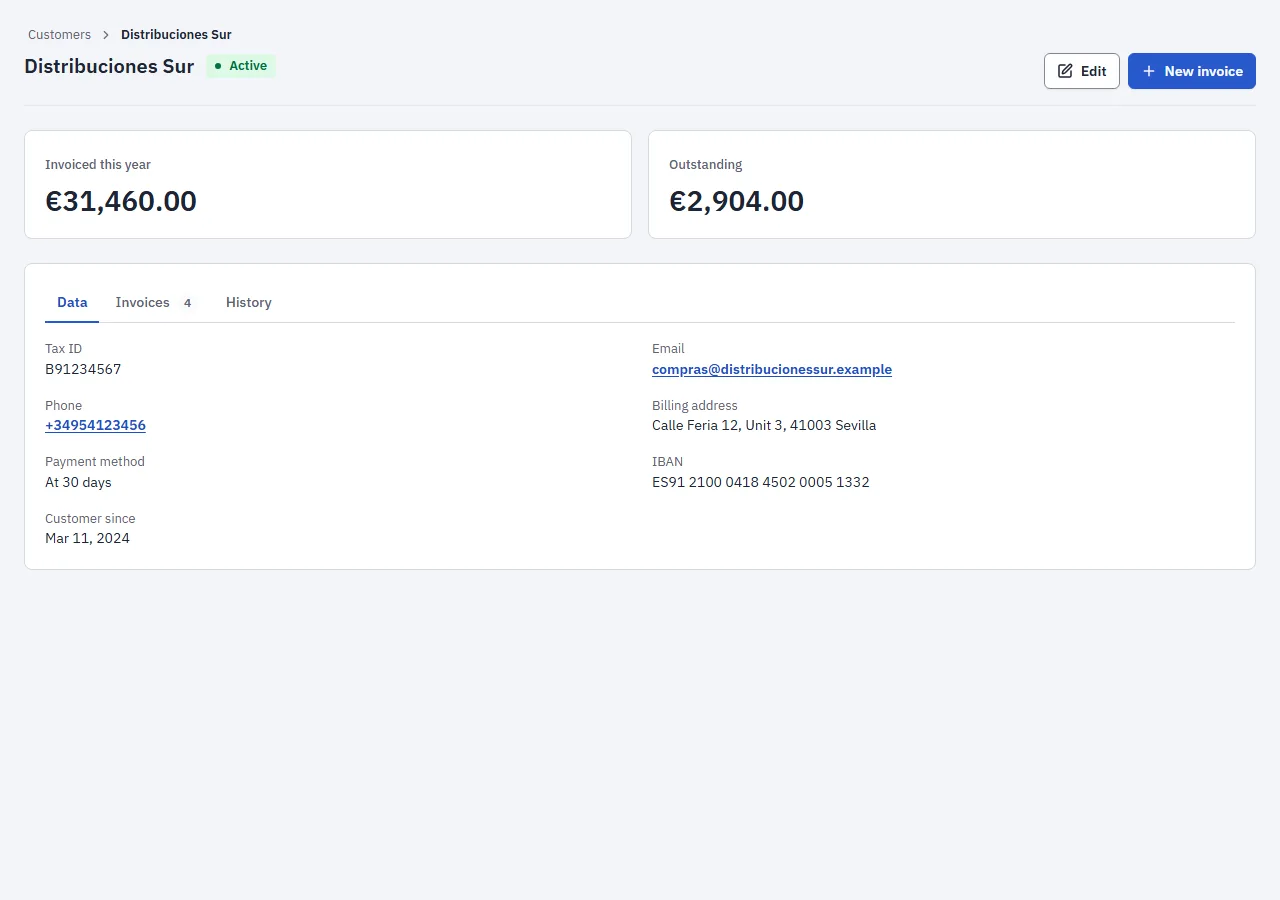
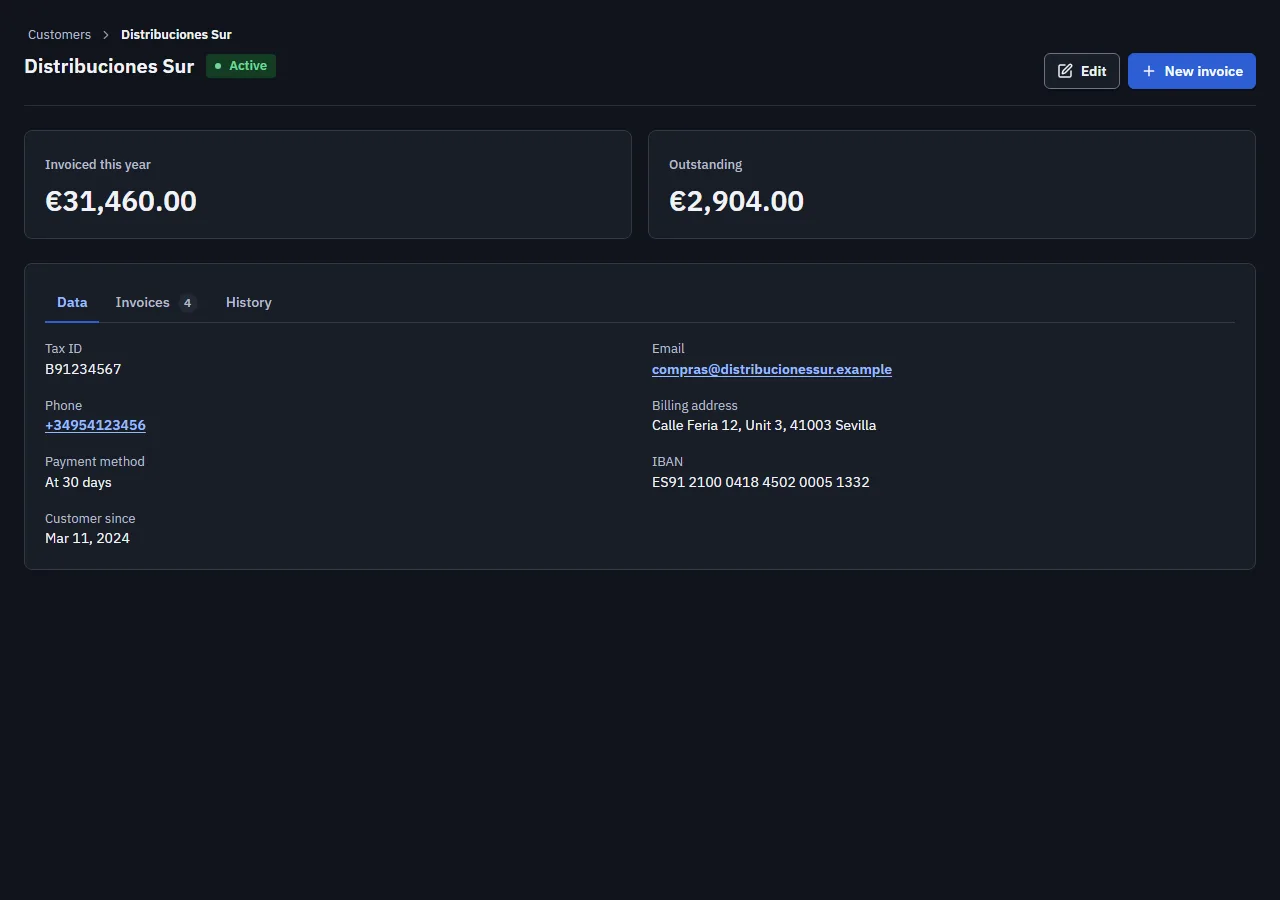
Customer record CustomerDetail

Screenshot of the "Customer record" block in the light themeScreenshot of the "Customer record" block in the dark theme

Everything about a customer on one screen: what they have been invoiced and what they owe, their details, their invoices and their history, in tabs so there is no scrolling. From here they can be edited or sent a new invoice.

Uses: PageHeader with breadcrumbs, Stat, Tabs, DataList, Table, History, Tag, Amount, Button and Grid.

Copy it into your project
npx amset-ui add customer-detail

Nothing else to install 3 files See it in the test bench (Storybook)
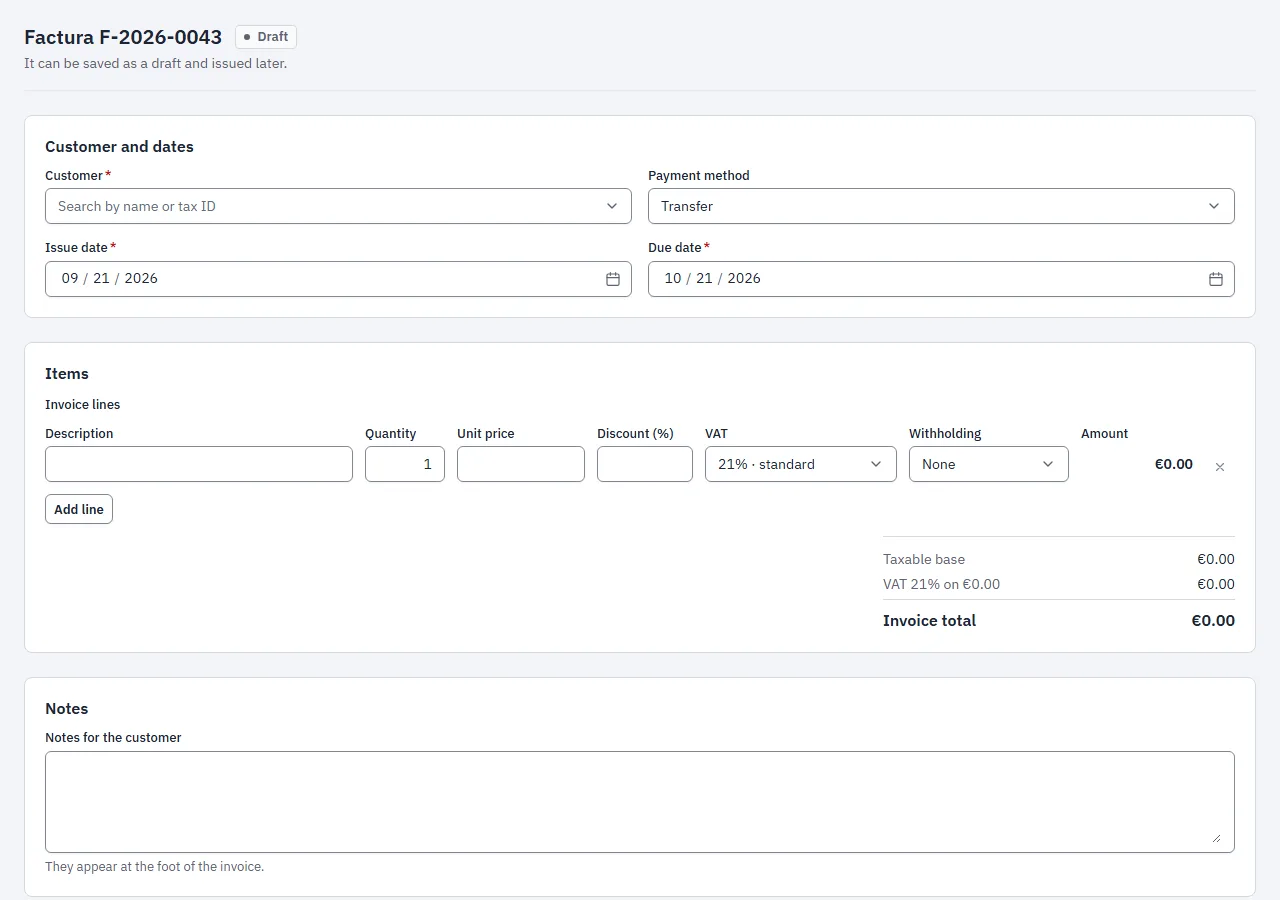
Invoice issuing InvoiceForm

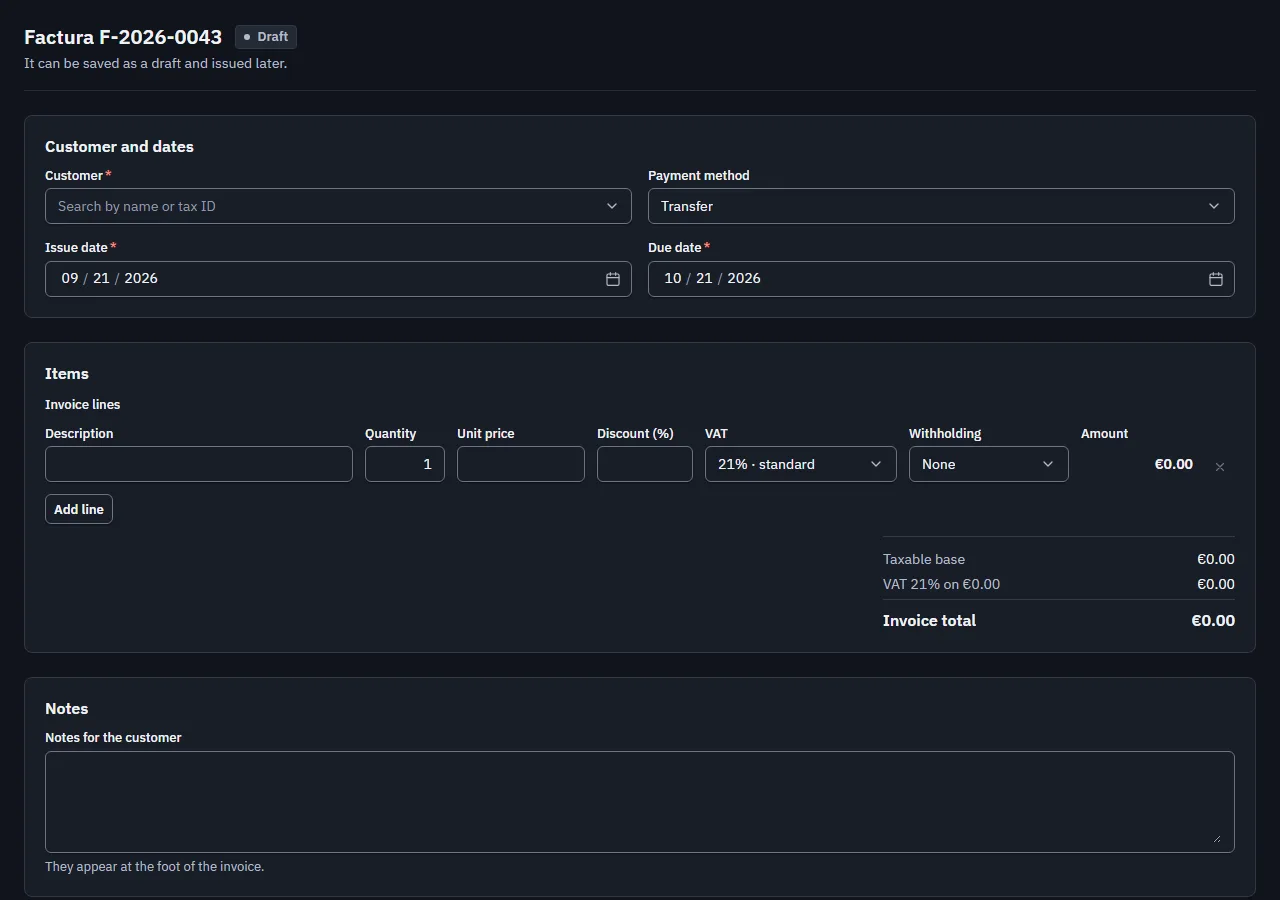
Screenshot of the "Invoice issuing" block in the light themeScreenshot of the "Invoice issuing" block in the dark theme

Making an invoice from start to finish: customer, issue and due dates, payment method, lines with VAT, discount and withholding, and the total worked out while typing. It is saved as a draft or issued, and issuing asks for confirmation because an issued invoice is never deleted: it is corrected.

Uses: Combobox, DatePicker, Select, InvoiceLinesEditor, TextArea, ConfirmAction, Alert, Button and Card.

Dates: they go in and out as YYYY-MM-DD text, with no time or time zone.

Copy it into your project
npx amset-ui add invoice-form

Nothing else to install 5 files See it in the test bench (Storybook)
Settings Settings

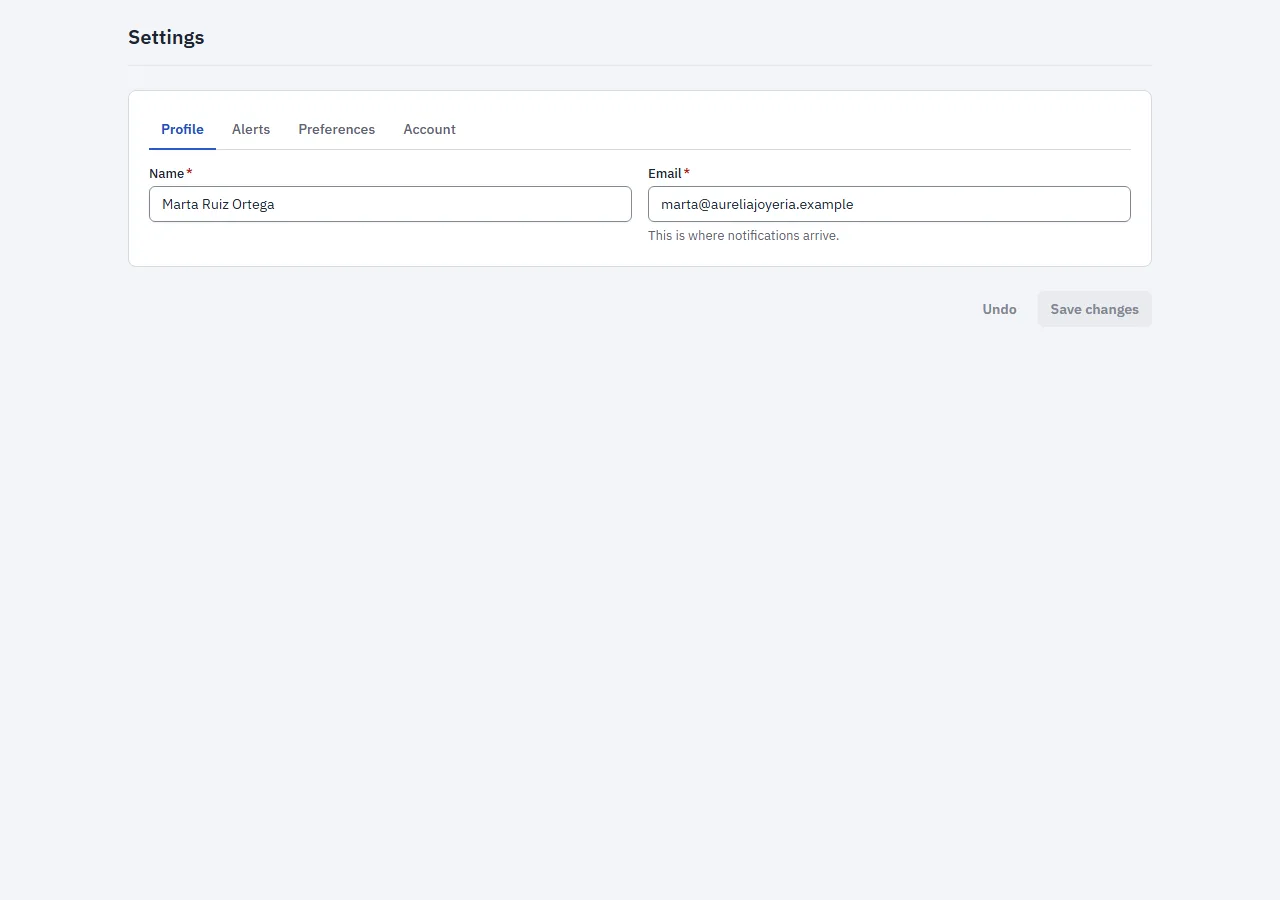
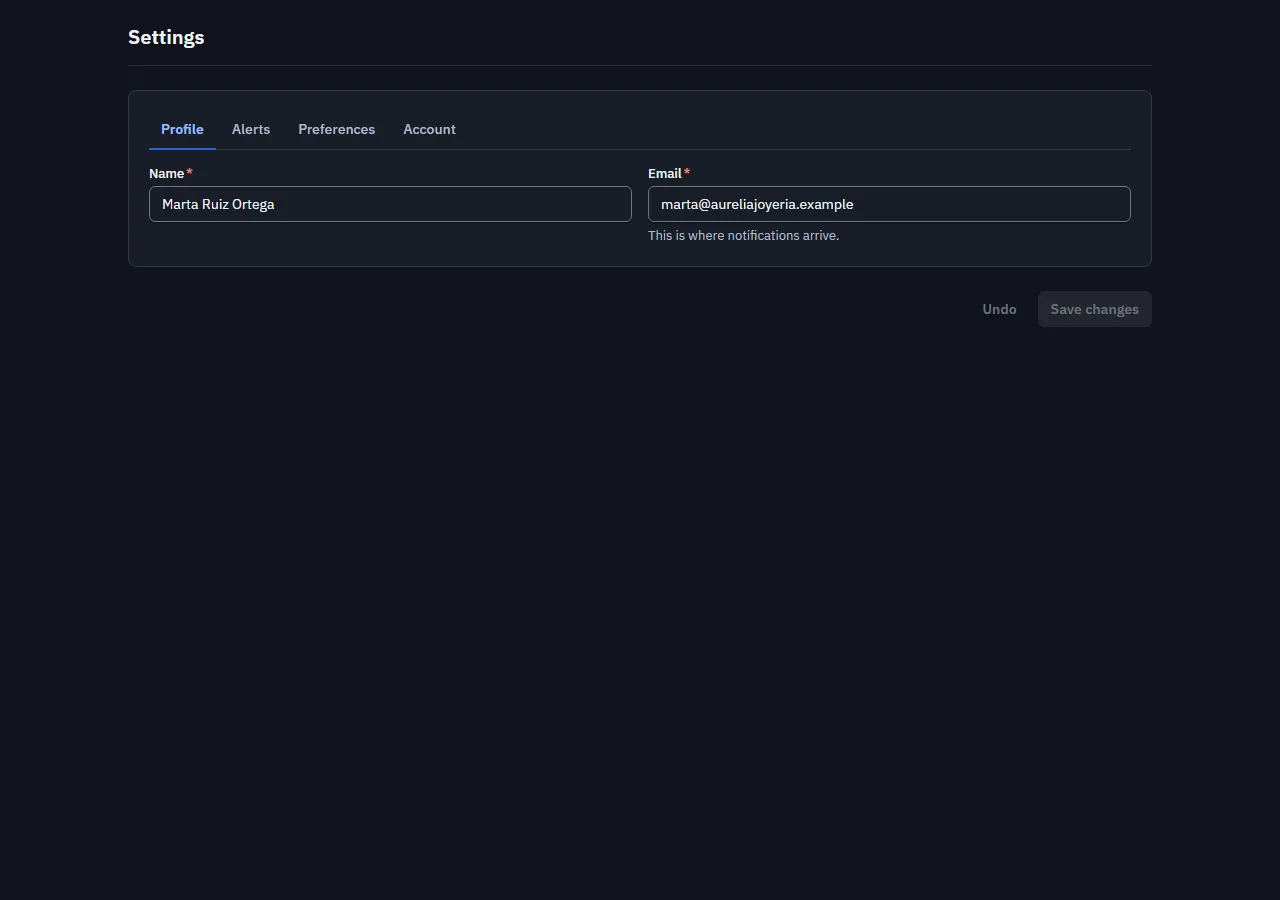
Screenshot of the "Settings" block in the light themeScreenshot of the "Settings" block in the dark theme

Account settings in sections: profile, email notifications, language and theme, and a danger zone to delete the account. «Save changes» only turns on when there is something to save, and undo goes back to what was saved.

Uses: Tabs, Card, TextField, Switch, Select, SegmentedGroup, ConfirmAction, Alert and Button.

Theme: it is applied with applyTheme as soon as it is saved, and remembered in this browser.

Copy it into your project
npx amset-ui add settings

Nothing else to install 3 files See it in the test bench (Storybook)
Sign in SignIn

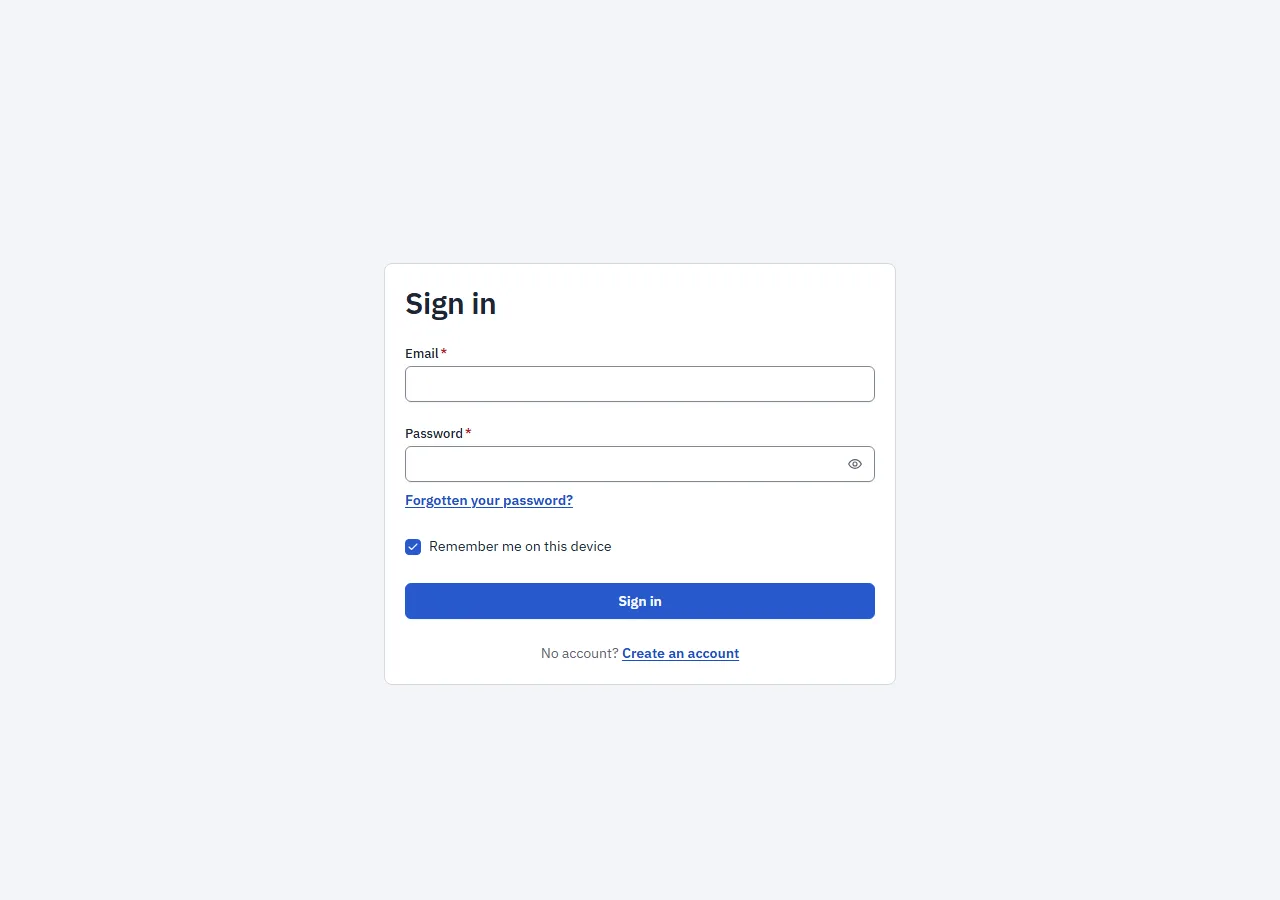
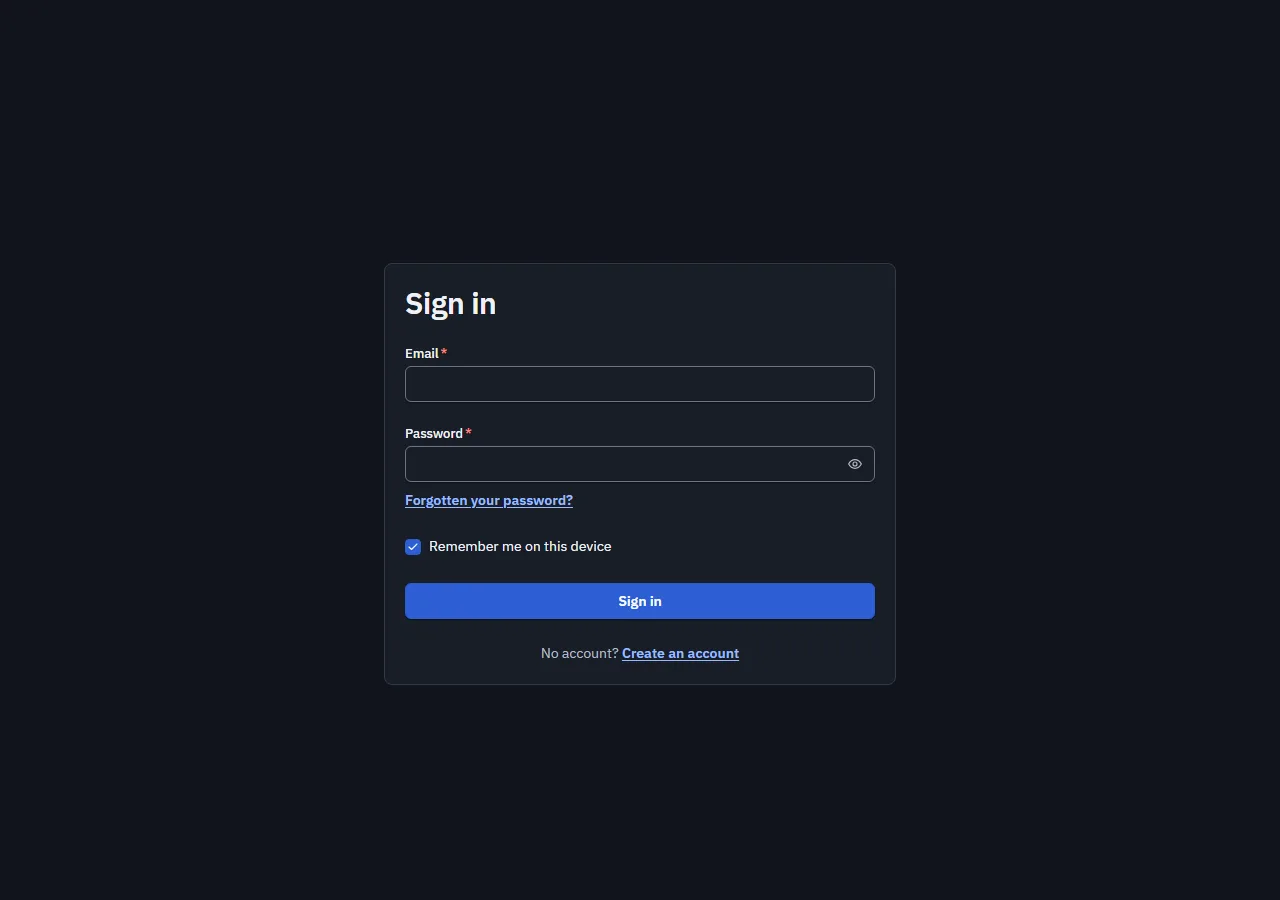
Screenshot of the "Sign in" block in the light themeScreenshot of the "Sign in" block in the dark theme

Signing in with email and password: both fields with the browser's autofill, remember me, the link to recover the password and the server error where it belongs. While checking, the button waits and does not allow sending twice.

Uses: Card, TextField, PasswordField, Checkbox, Button, Link and Alert.

Security: the block does not store the password anywhere; it hands it to onSubmit and forgets it.

Copy it into your project
npx amset-ui add sign-in

Nothing else to install 2 files See it in the test bench (Storybook)
How they are copied

npx amset-ui list --blocks
Bloques (pantallas enteras):dashboard                        Dashboard                        Panel de gestióncustomer-list                    CustomerList                     Listado de clientescustomer-form                    CustomerForm                     Alta de clientecustomer-detail                  CustomerDetail                   Ficha de clienteinvoice-form                     InvoiceForm                      Emisión de facturasettings                         Settings                         Ajustessign-in                          SignIn                           Inicio de sesión 0 componentes y 7 bloques. "npx amset-ui add <nombre>" copia el codigo.
Exit code 0 The list, with npx amset-ui list --blocks.
npx amset-ui add dashboard
  nuevo  blocks/dashboard/dashboard.tsx  nuevo  blocks/shared/dates.ts  nuevo  blocks/shared/invoices.tsx  nuevo  blocks/shared/screen.ts Copiado: 1 bloque(s) en amset-ui (4 nuevos, 0 pisados, 0 iguales, 0 conservados).  import { Dashboard } from './amset-ui/blocks/dashboard/dashboard'
Exit code 0 Copying one: its code and what it shares with the other blocks.

If the block needs something your project does not have (the new customer form uses react-hook-form and zod), add warns about it. The new customer form also exports its schema, customerSchema, to validate the same on the server.

Templates: a whole application

npx amset-ui create writes a new application from one of the two templates that ship in the package. Both come with strict TypeScript, ESLint, no Tailwind, the frame (AppShell, TopBar, ThemeButton, SideNav), a home page, a customers page and the "not found" page.

TemplateWhat it is like
Next (default)App Router, server pages, and loading.tsx, error.tsx and not-found.tsx out of the box.
Vite (--template vite)Each page with React.lazy, preloaded when you hover its link, and its own error boundary.
npx amset-ui create mi-panel --template vite --brand "#0f766e" --dry-run
  nuevo  .gitignore  nuevo  eslint.config.js  nuevo  index.html  nuevo  package.json  nuevo  src/App.tsx  nuevo  src/PageErrorBoundary.tsx  nuevo  src/index.css  nuevo  src/main.tsx  nuevo  src/pages/CustomersPage.tsx  nuevo  src/pages/HomePage.tsx  nuevo  src/pages/NotFoundPage.tsx  nuevo  src/router.ts  nuevo  src/routes.ts  nuevo  src/vite-env.d.ts  nuevo  tsconfig.json  nuevo  vite.config.ts Escribiria: mi-panel, starter de vite con 16 ficheros, en mi-panel Para arrancarlo:  cd mi-panel  npm install  npm run dev El token del registro de @amset va en tu ~/.npmrc; el .npmrc del proyecto solo dice de donde sale el paquete.
Exit code 0 What the Vite one writes.
All its options.